Beyond the Chat Box: The Setup Agent — from "two hours of config" to "paste your agenda"

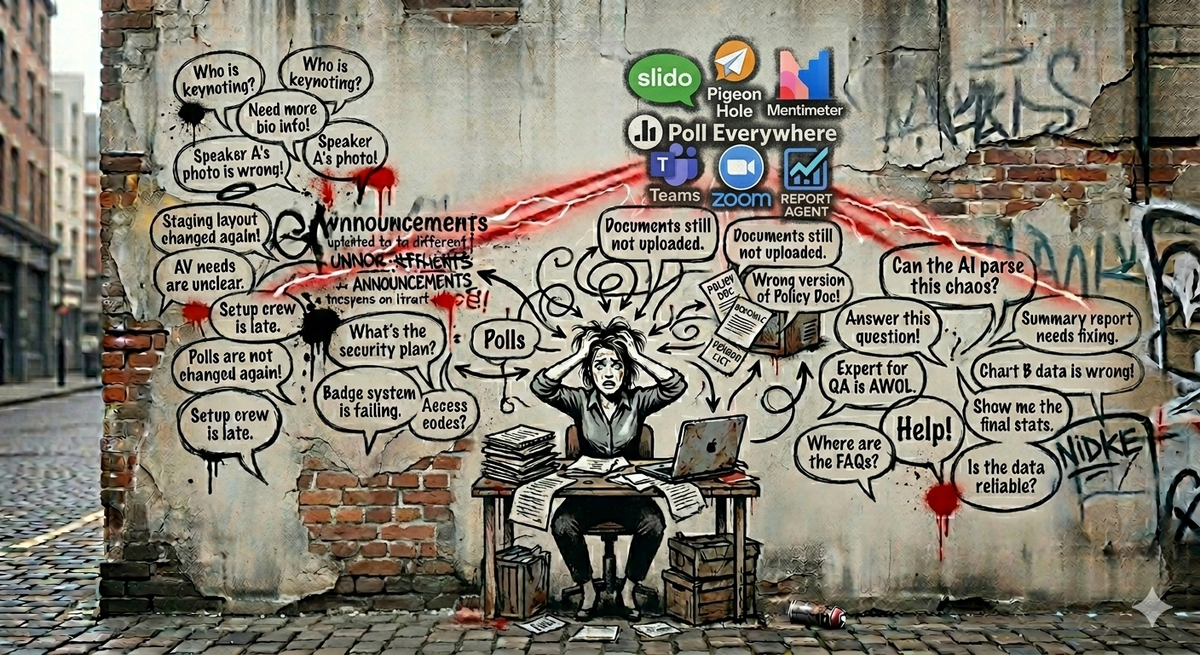
Post four of a series on what live audience engagement actually looks like when there's an AI team in the room.
There's a strange truth about audience engagement tools that nobody likes to talk about.
The reason most events ship with bare-bones engagement — a basic Q&A panel, no polls, no moderation rules, no follow-up flow — isn't that hosts don't care. It's that the host got the calendar invite three days ago, has a deck to write, has a CFO to brief, has slides to revise, has a run-of-show to align with comms, and has thirty-six other things ahead of "configure the engagement platform" in the queue.
So they log in twenty minutes before the event. They click "create new event." They type a name. They hit start.
That's the engagement strategy.
Everything we've built into ReactLive — the moderation, the answers, the engagement signals, the post-event insight — is undermined by this one bottleneck at the front of the funnel: setup is too expensive, so it gets skipped.
The Setup Agent is the first thing we built to fix that.
What setup actually involves
If you've never configured an audience engagement tool from scratch, here's what a thorough setup looks like for a serious event:
- Decide whether Q&A is anonymous, named, or a mix
- Configure moderation rules — what gets pre-moderated, what gets blocked outright, what triggers escalation
- Upload reference documents the AI can ground answers in
- Add the agenda so the system knows the topics and timing
- Add speaker bios so the system can route questions correctly
- Pick poll templates appropriate for the event type
- Configure engagement triggers — when should prompts go out, when should the system stay quiet
- Set the tone and voice — formal, casual, technical, friendly
- Define escalation rules — when does a human get pinged
- Configure the live transcript settings
- Set up integrations with whatever's streaming the event
That's a real list. A thoughtful host doing it manually is looking at a couple of hours, easily, on top of everything else they have to do that week. Most don't have those hours.
So the work doesn't get done. The event runs with defaults. The AI has nothing to ground answers in. The moderation rules are generic. The engagement prompts are off-tone. The post-event report is shallow because there was no context to interpret what happened.
The Setup Agent's job is to make that whole list happen in 90 seconds.
What the Setup Agent does
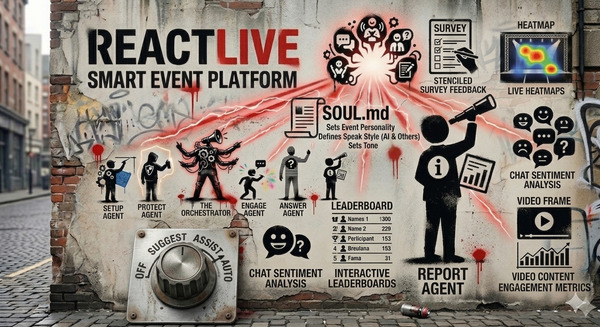
The Setup Agent runs once, before the event, and prepares everything the other agents need.
It takes whatever you can give it — the agenda, the deck, the speaker list, the previous event's transcript, an FAQ document, a brand guide — and produces a configured event. Q&A flows enabled. Moderation rules applied. Reference documents indexed. Speaker context loaded. Engagement triggers scheduled. Tone calibrated.
It does this through five core skills:
Event configuration. It reads the event type — town hall, AMA, product launch, all-hands — and applies the right defaults. Anonymous Q&A on for an internal town hall, named for a public AMA. Polls on by default for a product launch, polls off for a memorial. The host doesn't have to think about which knobs to turn — the agent picks the defaults that match the event type, and surfaces the ones that need a human decision.
Content ingestion. Drag in the deck, the agenda, last quarter's all-hands transcript, the product FAQ. The Setup Agent indexes them and makes them available to the Answer Agent as grounded sources. This is the step that determines whether the live event can actually answer questions accurately. No content in, no grounded answers out.
Workflow setup. It sets the initial dial position for each of the live agents based on the event type and your past configurations. First-time host running a low-stakes weekly AMA? Default to Suggest across the board. Returning host running their tenth town hall with the same configuration? Restore their preset.
Pre-event suggestions. Based on the event type and content, it suggests poll templates, engagement prompts, and likely audience questions before the event even starts. The host reviews, edits, approves. Five minutes of work instead of fifty.
Integration handling. Streaming setup, embeds, the live captions feed, the post-event hooks into your CRM or HRIS — the Setup Agent handles the plumbing so the host doesn't have to learn another integration screen.
The output: a fully configured event that the Orchestrator can run, with all the context the live agents need, ready to go.
The 90-second target
We have a specific number we hold ourselves to: time to first event under 90 seconds.
That means: from the moment a new user lands on ReactLive to the moment they have a real, configured, working event ready to share with their audience — 90 seconds.
This number isn't arbitrary. It's the difference between trying ReactLive in the meeting room before the call starts and adding ReactLive to next quarter's tooling review. If setup takes longer than the coffee break before the event, hosts won't try it under pressure. If it fits in the coffee break, they will — and once they've run one event, they'll run the next one.
Hitting that number is what the Setup Agent is fundamentally optimised for. Every skill above is in service of that one metric.
What the Setup Agent does not do
This is worth being explicit about, because the easy mistake with a "setup AI" is to let it make decisions it shouldn't.
It does not auto-apply unsafe defaults. If a setting could meaningfully affect the audience's experience or the host's accountability — like turning on anonymous Q&A for an externally-facing event, or enabling auto-publish for AI answers when the event is regulatory — the Setup Agent surfaces the choice. It doesn't decide.
It does not invent context. If the host hasn't uploaded an agenda and the event type isn't clear from the title, the agent asks rather than guesses. Better to spend ten seconds confirming than to ground the Answer Agent in fabricated structure.
It does not lock you in. Everything the Setup Agent configures can be edited before, during, or after the event by the host or moderator. The agent's output is a starting point, not a contract.
The pattern: aggressive on time, conservative on judgment. The Setup Agent should be fast at the boring parts and explicit at the consequential ones.
What this changes about how events get made
There's a category shift hiding inside the 90-second target.
When setup costs hours, configuring an engagement platform is a project. Hosts plan it, scope it, schedule it, and most of the time, deprioritise it. Engagement becomes a tier-two consideration that gets the leftover attention.
When setup takes ninety seconds, configuration becomes part of the event itself. The host opens ReactLive while drafting the agenda, pastes the agenda in, and watches the event configure around it. The AI has its grounding documents because the host already had them open. The moderation rules match the event. Why? Because the agent picked them from context. The engagement prompts make sense because they came from the actual content of the event, not from a generic template library.
The setup work doesn't disappear. It gets compressed into the part of the host's day they were going to spend thinking about the event anyway.
That's the unlock. Not "AI does the setup for you" — that's a half-truth and a brittle promise. The real shift is that setup stops being a separate task and becomes a side effect of preparing for the event in the first place.
The other four agents in ReactLive only matter if the event is configured well enough for them to do their work. The Setup Agent's job is to make sure that's true — and to make it so easy that hosts stop skipping it.
Next up: The Protect Agent — moderation that doesn't make you choose between safety and speed. How real-time content classification turns anonymous Q&A from a risk into a default.
Join the waitlist to get early access. Three free events. Locked-in pricing.